
What’s new in KS Companion
Release notes for KS Companion: new tools, improvements to the Island Planner and calculators, and fixes, newest first.
Updated
-
Sharper island artwork, building appearances and smoother maps
Choose recovered building appearances, compare fully upgraded and base prosperity, and zoom three steps closer. Building ground patches and Meadow now follow the recovered masks and hide during moves. Mobile artwork and animations use smaller images, while higher-resolution artwork remains available for close zoom. Language choices now show flags. Existing saved layouts are preserved.
-
Island group editing, scenery and lighter artwork
Select an area to move, copy, rotate, mirror or delete pieces together, with Undo, Redo and keyboard shortcut help. Explore the recovered island scenery, fit the whole island or your layout, and find Curiosity Cottage and Sea Angler in the piece catalogue. Large island and Finder’s Fortune images now use lossless WebP, and the island loads building artwork as needed. Existing saved layouts are preserved.
-
Pet and Master upgrade examples, clearer storage policy
Work through a Gray Wolf food and advancement budget, read Olive’s skills by activity, and compare Valora and Pan from the same starting level. The public cookie policy now follows the in-app policy, including saved Finder settings and Undo. Support links remain available without an automatic donation popup.
-
Practical guides: messages, island layouts, kingdom age and Finder’s Fortune
Copy and adapt eight alliance messages, compare island starting layouts, and work through kingdom-age calculations without opening the app. The new Finder’s Fortune guide includes 27 scenery previews, chapter costs and a retry budget, with links into the matching maps. Examples state their assumptions and keep estimates separate from confirmed game results.
-
Finder’s Fortune: stage planning and interactive object finder
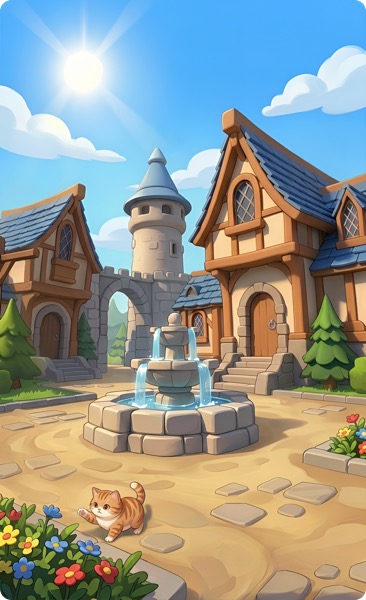
Explore stage costs and rewards, plus 27 original maps with 1,364 objects in their game positions. Search objects, show labels with connecting lines, and select an object to highlight it on the map and in the list. Your map views, filters and labels can be remembered with preferences enabled. Reset with confirmation and restore your settings with Undo or Redo, including keyboard shortcuts. Finder’s Fortune now uses its original in-game event icon.
-
Olander and Catherine join the Master calculator
Plan Olander and Catherine upgrades with recovered skills, effects, level and class requirements, upgrade costs, original portraits and skill artwork. Compare their resource requirements alongside the existing Masters. These are game-file reference values; check availability in your game.
-
Packs: compare prices, choices and progression
Explore Packs under Reference to compare recovered USD prices, rewards and purchase options. Filter by server day, Town Center, VIP and offer year; compare Daily Deals bundles and individual offers, follow Infinite Box steps, and review free claims and reward choices. Repeated contents are combined, Common Custom Chest has 19 configurations with separate price options, and Birthday packs have year and Town Center selectors. The advanced catalogue keeps every recovered variant. Prices and eligibility are reference data; confirm the active offer in your game.
-
Upcoming Gen 9 heroes and sharper hero cards
Preview upcoming Gen 9 heroes Lotte, Bayar and Theia with recovered portraits, skill icons and values, widget details and acquisition requirements. Upcoming heroes are reference-only and remain excluded from active calculator choices. Refreshed hero cards use sharper artwork, troop badges and separate Conquest and Expedition skill rows, with an Explore button for full details.
-
App updates without clearing saved data
A normal reload now loads the latest app code and bundled assets after a release. You no longer need a private window to see new features such as Chest routes. Saved islands and account data stay in place; open editing sessions are not forcibly reloaded.
-
Island chest routes and opened-chest tracking
Open Chest routes in the Island Planner to explore 55 community-mapped chest locations on the island map. Move one or two Reservoirs to recalculate suggested routes, follow the steps, and tap chests to mark them opened in gray. The translated tutorial explains the controls. Opened marks last for the page session and do not change your saved island. Community locations remain unverified, and routes exclude obstacles, clearing time and rewards.
-
Fishing Tournament guide, equipment upgrades and rewards
Find the Fishing Tournament guide under Events, available in all six languages. Check the Line, Hook and Sinker upgrade requirements and costs, compare both leaderboard reward variants, and learn how Bait, Power Cast, Fishing Vouchers and special items work. Equipment, materials and cosmetic rewards now use their in-game icons. Match the reward variant to your current event screen.
-
Hero and Master portraits, with clearer calculator icons
Hero details now show full-character artwork for 37 heroes, and the Master calculator shows full portraits for all eight Masters while keeping compact headshots in selectors. Pet abilities use cleaner in-game icons. The Master calculator now uses the Master’s Emblem, and Troop Training uses the T10 Infantry icon in its header and navigation links.
-
Governor Gear and Governor Charms calculators
Plan all six Governor Gear pieces and all 18 Governor Charms with costs, stats and event points for every level. Gear shows each piece as it looks in game, with its quality colour, tier and stars, and includes set bonuses and Squads' Deployment Capacity from Red gear. Upgrades split into five stages can be tracked stage by stage. Import screenshots of your Governor Gear screen, Governor Profile or Backpack to fill in your levels and materials (they are read on your device and never uploaded). Then press Optimize to set targets for the most event points or the most stat gain your backpack can buy.
-
Citizens and signature buildings, as in the game
Citizens are back at work on twelve buildings, from the Swing and Bazaar Row to the Fishing Hut and Deluxe Restaurant. The Purifier, Eggchanted, Fountain of Life and Small Colosseum now play their real in-game animations, including the fountain's water and the Colosseum's sparring gladiators. Older shared islands open again with Fork to edit and island codes.
-
Watch your whole island come alive
Press Play in the Island Planner and 59 buildings now move. The Sleeping Drakethrone takes off and circles your island, the Swing swings, fires flicker, water ripples, gold and gems catch the light, smoke curls from chimneys, and banners, balloons and flowers sway in the breeze. Animations only download when you press Play, so the planner stays quick to open.
-
Refreshed guides and a live gift code list
Every guide now has screenshots of the real tool and a cleaner layout that reads well on phones. The Gift Codes guide lists the codes that are active right now, with the date each one was added, plus recently expired codes so you can spot an old one shared in chat.
-
Animated buildings in the Island Planner
Press Play in the planner to watch placed buildings come to life. Animations load only when you press Play, so the planner stays quick to open. This release also tidies the joins between paths, hedges, fences, grass and water, fixes several placement collisions and upgrades the artwork of more than twenty buildings.
-
Hero gear references
Hero gear joins the calculators, with references for each piece and help choosing which gear to upgrade next. The Island Planner and Gift Codes tool also received fixes.
-
Featured islands
A gallery of island designs shared by players, with search and categories so you can find a layout to learn from. Owners are notified when their island is chosen for the gallery. The gallery is available in all six languages.
-
Community message templates
Players can now submit their own alliance message templates. Submissions are reviewed before they appear, and every template shows a preview styled like in-game chat.
-
Redeem gift codes from KS Companion
Gift codes can be redeemed through the official redemption site without leaving KS Companion, using only your Player ID. Two guest redemptions are available before signing in, and a checklist on your device remembers which codes you have used.
-
Six languages and the Kingdom Chronicle
KS Companion is now available in English, German, Japanese, Korean, Turkish and Hindi, with a language picker in the top bar. The Kingdom Tracker gained the Chronicle, a road of milestones showing what typically unlocks as a kingdom ages. Each tool also has a public guide.
-
Masters comparison
Compare Masters side by side to see how their remaining costs differ, and send private feedback to the developer from inside the app. Kingdom age lookups are faster too.
-
KS Companion goes live
The Island Planner and the first set of planning tools launch at ks-companion.com, free to use in any modern browser.
Popular tools
 Find the hidden object
Finder’s Fortune
Match the scenery, locate objects and budget Bones before starting.
Read the guide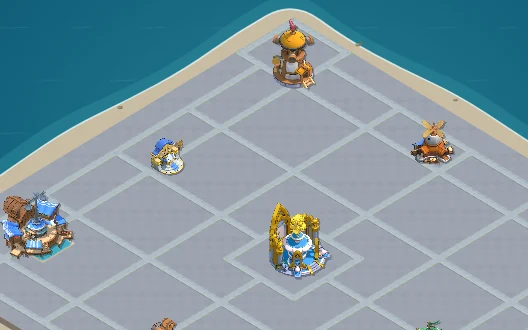 Design your island
Island Planner
Lay out buildings, paths and gardens on the real grid, then save and share the design.
Read the guide Get ready for an event day
Event Planner
Line your chosen upgrades up with the days that score them, then tick them off in Today.
Read the guide