Cookie and storage policy
Which cookies and device storage KS Companion uses, why, for how long, and how to change your choice.
Updated 8 November 2026.
| Cookie | Purpose | Category | Maximum duration |
|---|---|---|---|
| ks_cookie_choice_v1 | Remember your cookie choice | Essential choice record | 180 days |
| ks_display_v1 | Theme, language, number format, navigation and object-finder settings | Optional preferences | 180 days after saving a preference |
What this policy covers
KS Companion uses cookies and similar device storage to remember your choices, keep requested work on this device, and support sign-in. A cookie is a small value stored by your browser; local storage holds larger app data. This policy describes the app itself. A hosting provider or sign-in provider may also use its own storage.
Your cookie choice
The essential ks_cookie_choice_v1 cookie records Allow preferences or Essential only for up to 180 days. It contains no account ID, email, password or planner data. You can change this choice at any time from Cookie settings in the app. Rejecting optional preferences does not prevent planning, sharing or signing in.
Optional display preferences
Only after you choose Allow preferences, ks_display_v1 remembers your theme, language, full or compact number display, collapsed navigation, and object-finder settings for up to 180 days after a preference is saved. The pending object-finder Undo backup is kept separately in browser local storage under the same consent; it retains the latest reset/restore pair for Undo and Redo until the next finder change. Essential only removes this cookie and the persisted Undo backup and stops future optional writes; current choices can still work for the open session. Previous web display-preference keys are retired. This preference choice does not grant advertising consent.
Advertising choices
Google AdSense is being prepared and live ads are not enabled in this release. Google’s AdSense script loads published privacy messages on the public website and may store privacy choices. Manual ad placements remain inactive during setup. When ads are enabled, Google and advertising partners may use cookies or similar identifiers to deliver, measure and personalise ads, subject to the applicable consent choices. Any advertising consent message is separate from Allow preferences and Essential only. Open Privacy policy and ad choices to review available Google privacy controls.
Local work and sign-in storage
The browser or installed app stores requested planner/account/island saves, planner history, presets, message templates, message drafts, favorites and tutorial state on this device. The combined save key is kingshot_local_state_v162; older save keys may remain for recovery. Tutorial flags remember which page guides have appeared, using one local yes/no value per guide. A separate local preference remembers whether you disabled all tours; Help lets you enable them again. They contain no visit timestamps or analytics and are shared by users of this browser profile or app installation. Clearing app/site data resets them. These saves remain until you clear app/site data and are not put in cookies. Supabase manages sign-in session and PKCE verification storage through its SDK; the app does not copy passwords or tokens into its own cookies. Session storage can keep you signed in across visits until you sign out, clear storage or the session is revoked. Signing out does not delete this device’s planner workspace.
Profiles and cloud backups
Signing in does not automatically upload or replace your workspace. Save to profile sends the current planner, game account and island snapshot, including saved history, to your private account backup. Restore replaces the device workspace after confirmation. Saved workspaces lets you keep multiple named snapshots and delete them in the app. The original single profile backup remains separate. Named snapshots stay in Supabase until you replace or delete them, the service operator deletes them, or the account is deleted. Provider infrastructure backups may retain deleted data according to the operator’s backup policy. This app does not provide automatic cross-device merging. On a shared device, other users of the same browser profile can see the local workspace.
Google and Discord
Selecting Google or Discord opens that provider’s sign-in flow. The provider may use its own cookies and collect information under its privacy policy. Supabase receives the identity information needed to authenticate you, such as a provider identifier, email and display name. We do not ask for your Google or Discord password inside this app. Declining optional app cookies does not control storage on those providers’ sites.
Browser controls and retention
You can remove cookies and local storage using browser settings or clear app data on an installed device. Blocking all storage may prevent persistent login and local saves. Export island codes or save your workspace to your profile before clearing device data. Clearing device data does not delete cloud backups or previously published public island links. Cookie expiry may be shortened by your browser. If cookies are blocked, the app can apply your choice for this session but may ask again on your next visit.
Changes and contact
We will update this policy when storage use changes. New optional purposes require a new choice before they are enabled. For account, backup or privacy requests, use the Contact page linked at the bottom of every page.
Object finder storage in practice
When you allow preferences, the object finder can remember your last map, each map’s zoom and position, search and difficulty filters, selected object and label setting. A reset can also keep the previous view in a separate local Undo/Redo backup until you make another finder change. Essential only removes the persisted preferences and Undo backup; it does not delete your separate planner workspace. Clear site data to remove device storage, or use Cookie settings to withdraw optional preference storage.
Public website and support links
Cloudflare delivers and protects the site. The public pages also load Cloudflare Web Analytics, which receives page-view and technical request information; this is separate from the app’s display-preference cookie. Google privacy messages on public content pages are described under Advertising choices and in the Privacy policy. The support links open Buy Me a Coffee only when you choose to visit it. KS Companion does not load its donation widget or automatically display a donation message. That external service has its own privacy terms.
Cookie attributes
On HTTPS, the app sets its cookies with Secure and SameSite=Lax, without a Domain attribute (host-only). Path is /. JavaScript preference cookies are not HttpOnly. They never contain passwords or session tokens.
Popular tools
 Find the hidden object
Finder’s Fortune
Match the scenery, locate objects and budget Bones before starting.
Read the guide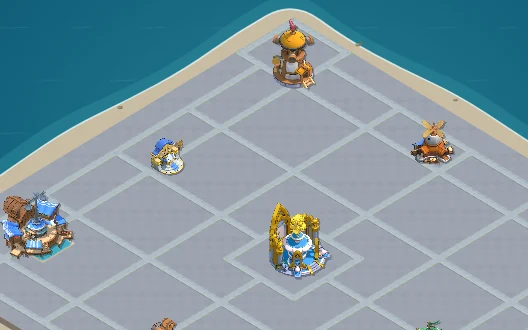 Design your island
Island Planner
Lay out buildings, paths and gardens on the real grid, then save and share the design.
Read the guide Get ready for an event day
Event Planner
Line your chosen upgrades up with the days that score them, then tick them off in Today.
Read the guide