
KS Companion · Tool guide
Kingshot Heroes and Pets Guide
Browse Kingshot heroes and pets, explore skill and ability references, and use progression calculators to plan your next upgrades.
Browse Heroes and PetsIndependent fan tool. Check estimates against the game before spending resources.
Updated
Worked example: Gray Wolf level 9 → 11
Suppose your Gray Wolf is level 9, its level-10 advancement is not yet completed, and you want level 11. Food raises levels; Growth Manuals pay for the advancement between them. Treat these as two separate requirements. The figures below use the same reference as the pet calculator, reviewed for this guide on 8 November 2026.
| Step | Pet Food | Growth Manuals |
|---|---|---|
| Reach level 10 from level 9 | 235 | 0 |
| Complete the level-10 advancement | 0 | 15 |
| Reach level 11 from level 10 | 250 | 0 |
| Total for this goal | 485 | 15 |
No Nutrient Potions or Promotion Medallions are required for this particular advancement. They are separate materials used at later milestones; a zero in this example does not make every advancement free of them.
Can your inventory cover it?
With an illustrative inventory of 600 Pet Food and 10 Growth Manuals, you have 115 food left after the planned feeding, but you are short 5 manuals. Extra food does not replace the missing manuals. Secure those manuals before treating level 11 as an affordable completed goal.
Already at the milestone? Avoid paying twice
| Current state | Target | Remaining materials |
|---|---|---|
| Level 10, not advanced | Level 11 | 250 food + 15 manuals |
| Level 10, already advanced | Level 11 | 250 food; no manuals |
| Level 9 | Level 10, not advanced | 235 food; no manuals |
In the calculator, enter the real current level and whether its advancement is already done. At a milestone target, choose whether you intend to advance as well as reach that level. Reaching level 10 and completing its advancement are different outcomes.
Pet level, advancement and ability tier are different
The Gray Wolf ability reference lists Construction Aide, a five-minute construction-speed boost with a 23-hour cooldown. Its five listed ability tiers give 5%, 7%, 9%, 12% and 15%. Those are ability values, not pet levels 1–5. The food calculation above does not establish which ability tier your account has unlocked. Check the ability in-game before scheduling construction around it.
A five-minute activation window is not a promise to remove five minutes from a construction timer. Likewise, a construction-speed increase is not the same percentage reduction in time. Confirm when the game applies the boost before starting the upgrade.
Inspect Gray Wolf abilities and progression
Hero example: match the skill to the job
Olive is a Rare Archer with the Growth sub class in the reference. Her Conquest skills include Rain of Arrows and Target Lock. Her Expedition skill Green Thumb increases Mill production by 5–25% across its listed levels. This is why a rarity or attack-stat comparison alone cannot answer an economy question.
| Your goal | What to inspect | What not to assume |
|---|---|---|
| Hero-only battle | Conquest skills and combat stats | Mill production improves arena damage |
| Improve Mill output | Green Thumb and its actual level | The maximum 25% is active immediately |
| Plan gathering | The gathering skill and its in-game description | An unresolved resource label is confirmed |
The reference marks the resource label for Forager’s Luck as unresolved. Verify that detail in-game before investing for a particular resource. This example explains how to read a kit; it is not a ranking of Olive against every later-generation hero.
Use the reference with your account
- Choose the activity first, then check the relevant skill type and current effect.
- Enter your real starting progress and target. Keep hero shards, Pet Food and advancement materials separate.
- Check unlocks, cooldowns and any unresolved values in-game. The catalogue does not read your account or prove server availability.
Sources and limits: these examples use the companion’s pet progression tables and its Gray Wolf and Olive detail references. The ability/skill references were checked on 29 September 2026; this guide’s arithmetic was reviewed on 8 November 2026. Opening a reference today does not imply that the underlying game values were freshly verified today.
See the tool in action
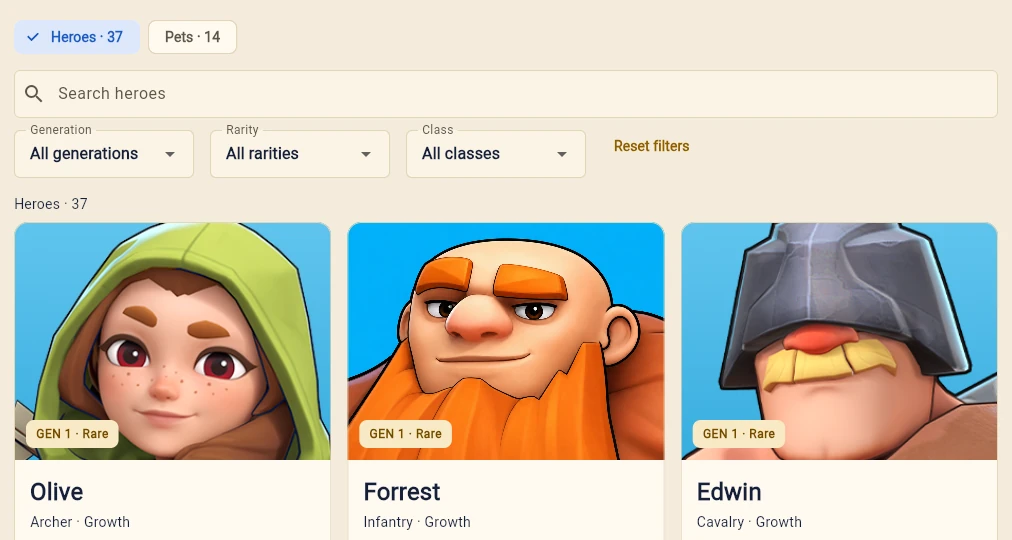
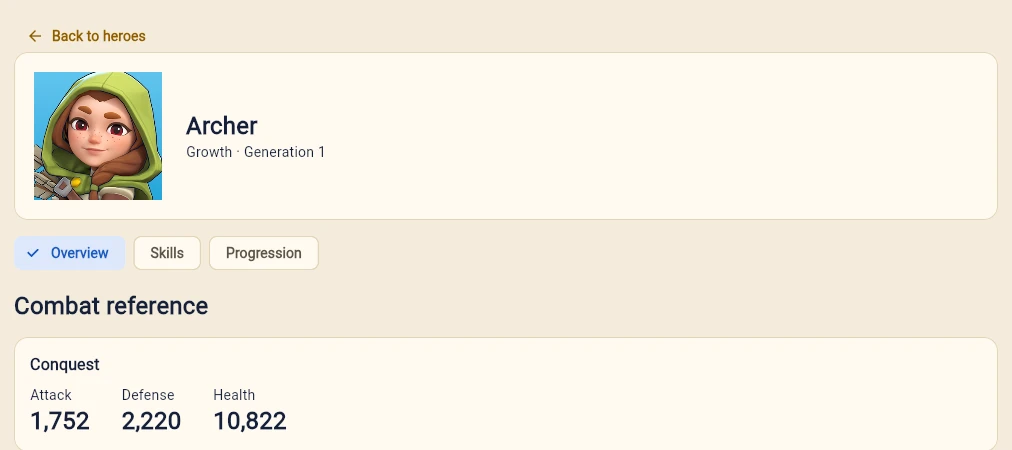
Find the character you need
Use the catalogue’s search and filters to narrow the available heroes and pets. Open a detail page to inspect its reference information instead of assuming two characters from the same generation have identical abilities. The catalogue is a reference; it does not detect which characters your account owns.
Separate abilities from progression costs
Hero details organise skills and progression information, while pet details distinguish abilities, leveling and advancement. An ability tier is not necessarily a pet level. Use the relevant calculator for the current-to-target resource requirement.
Plan upgrades with your own inventory
Enter your actual progress and materials before comparing upgrades. Pet food, advancement items, hero shards and widgets serve different purposes and should remain separate. A published ability does not mean the buff is active on your account. Confirm unlocks, cooldowns and costs in-game before using them to schedule an event plan.
Reading the roster
Each hero leads one troop class: Infantry, Cavalry or Archer. Rarity runs Rare, Epic and Legendary, and higher rarity generally means stronger base stats and more powerful skills at the same level. The sub class hints at a hero’s job. Combat heroes are built for battle, while Growth heroes carry Expedition skills that speed gathering, production or construction. The roster below lists every hero in the current reference by rarity and class.
Conquest and Expedition skills
Heroes have two kinds of skills. Conquest skills work in hero-only battles such as the arena and story stages. Expedition skills apply when the hero leads troops on the map, including rallies, attacks and gathering, and for Growth heroes they include economy bonuses. Many heroes also gain exclusive skills from their exclusive gear. When you compare two heroes, compare the skill type that matches how you will use them; a strong Conquest kit does little for a hero who mostly leads marches.
Building a balanced lineup
Spreading investment across the three classes keeps a lineup useful against different opponents and in events that favour one troop type. Level a reliable hero of each class before pushing one far ahead of the others, and save shards for the hero you will actually field. Pets add separate bonuses with their own food and advancement items; plan them alongside heroes rather than instead of them.
Hero roster by rarity and class
| Hero | Rarity | Class | Sub class |
|---|---|---|---|
| Jaeger | Legendary | Archer | Combat |
| Luna | Legendary | Archer | Combat |
| Marlin | Legendary | Archer | Combat |
| Rosa | Legendary | Archer | Combat |
| Saul | Legendary | Archer | Growth |
| Vivian | Legendary | Archer | Combat |
| Wee & Woo | Legendary | Archer | Combat |
| Yang | Legendary | Archer | Combat |
| Ava | Legendary | Cavalry | Combat |
| Hilde | Legendary | Cavalry | Combat |
| Jabel | Legendary | Cavalry | Combat |
| Liz | Legendary | Cavalry | Combat |
| Margot | Legendary | Cavalry | Combat |
| Petra | Legendary | Cavalry | Combat |
| Sophia | Legendary | Cavalry | Combat |
| Thrud | Legendary | Cavalry | Combat |
| Alcar | Legendary | Infantry | Combat |
| Amadeus | Legendary | Infantry | Combat |
| Charles | Legendary | Infantry | Combat |
| Diego | Legendary | Infantry | Combat |
| Eric | Legendary | Infantry | Combat |
| Helga | Legendary | Infantry | Combat |
| Long Fei | Legendary | Infantry | Combat |
| Triton | Legendary | Infantry | Combat |
| Zoe | Legendary | Infantry | Combat |
| Amane | Epic | Archer | Combat |
| Diana | Epic | Archer | Combat |
| Quinn | Epic | Archer | Combat |
| Yeonwoo | Epic | Archer | Combat |
| Chenko | Epic | Cavalry | Combat |
| Fahd | Epic | Cavalry | Combat |
| Gordon | Epic | Cavalry | Combat |
| Howard | Epic | Infantry | Combat |
| Olive | Rare | Archer | Growth |
| Edwin | Rare | Cavalry | Growth |
| Forrest | Rare | Infantry | Growth |
| Seth | Rare | Infantry | Growth |
37 heroes in the current reference. Skills are covered on each hero’s page in the app.
How the roster splits by troop class
| Class | Heroes |
|---|---|
| Archer | 13 |
| Cavalry | 12 |
| Infantry | 12 |
Class decides which troop type a hero leads best. Mix classes when you build a lineup rather than levelling one class only.
Related tools
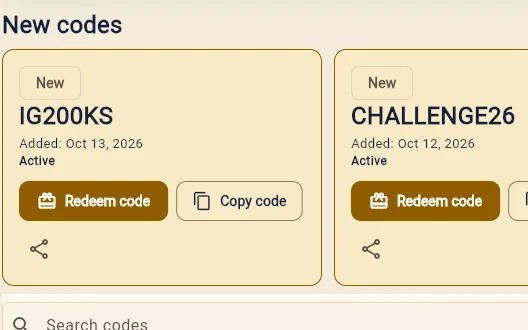 Claim this week’s rewards
Gift Codes
See which codes are new, redeem them on the official site and keep track of the ones you used.
Read the guide Rally your alliance
Alliance Messages
Copy a clear rally call, reminder or welcome, and preview it as it will look in game chat.
Read the guide Find the hidden object
Finder’s Fortune
Match the scenery, locate objects and budget Bones before starting.
Read the guide